> For the complete documentation index, see [llms.txt](https://injectkings.gitbook.io/dex-eft/llms.txt). Markdown versions of documentation pages are available by appending `.md` to page URLs; this page is available as [Markdown](https://injectkings.gitbook.io/dex-eft/disable-anti-virus.md).
# Disable Anti Virus
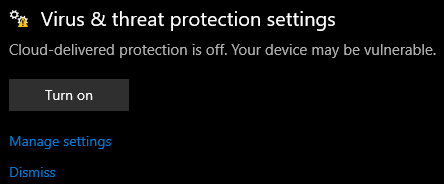
Open **Virus & Threat Protection:**
Click the windows key  and type: `Virus & Threat Protection`
Select **Manage Settings**:
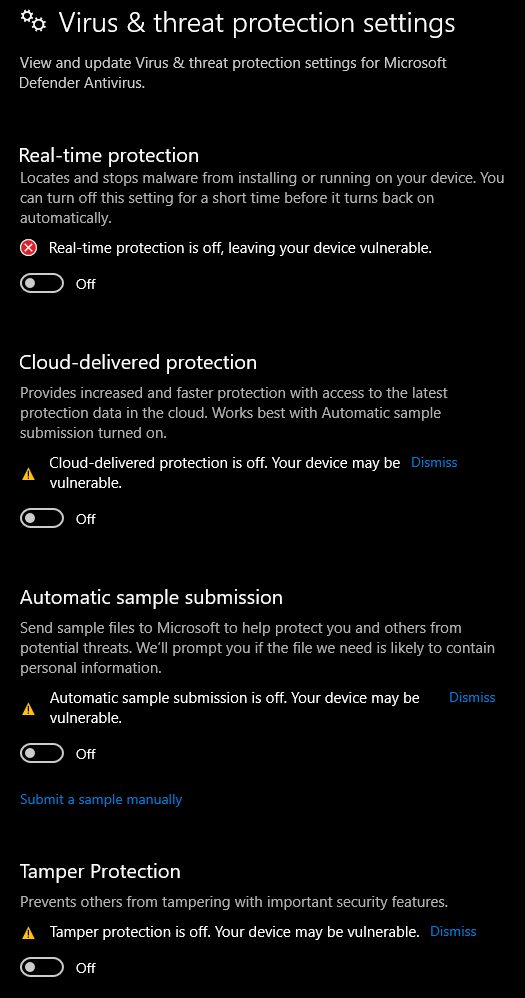
Toggle these **OFF****:**
* Real-time Protection (Please note this will sometimes turn back on after you reboot your PC so always be sure to check this setting again.)
* Cloud-delivered protection
* Automatic sample submission
* Tamper protection
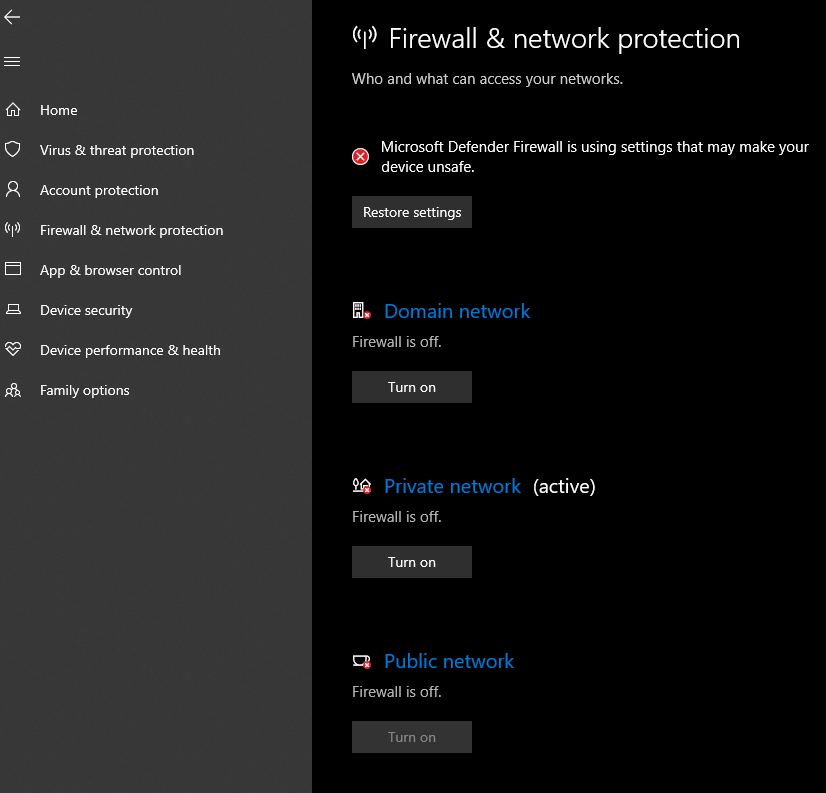
Select **Firewall & network protection** on the left sidebar:
Turn **OFF**:
* Domain network
* Private network
* Public network
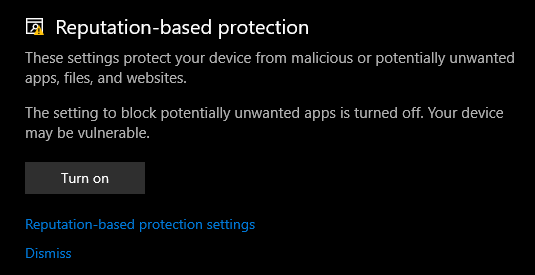
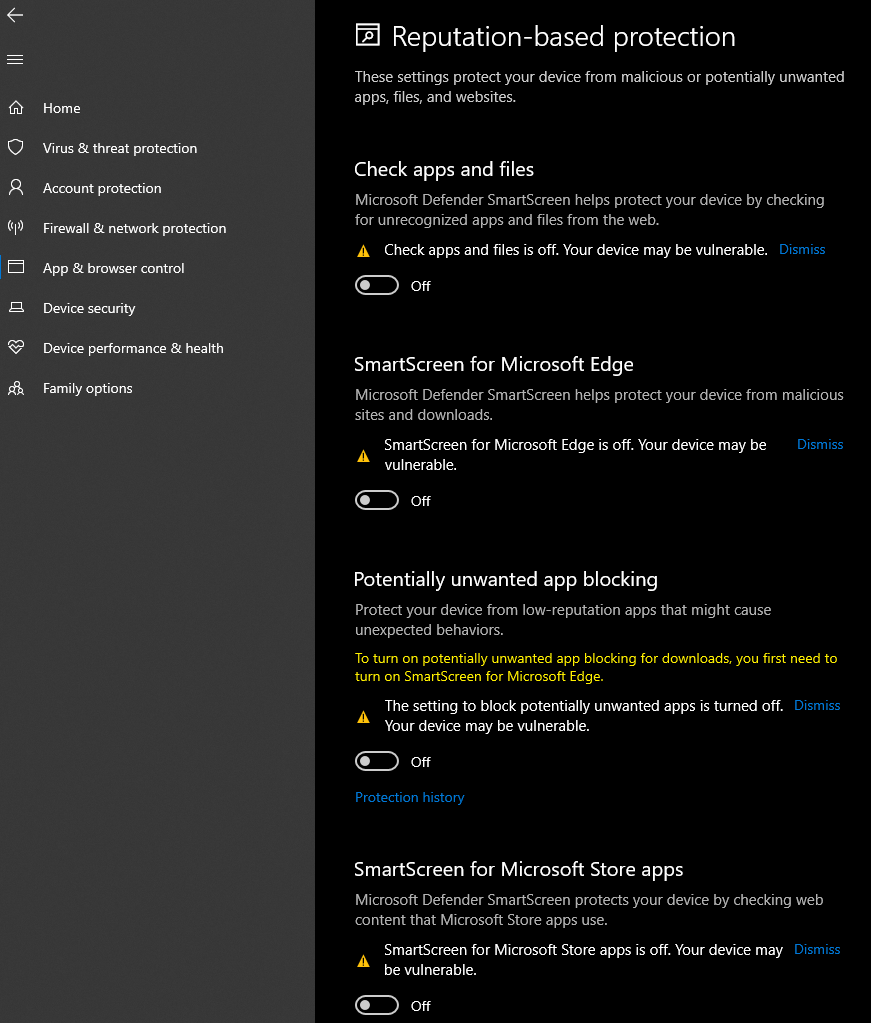
Select **App & browser control** on the left sidebar:
Click **Reputation-based protection settings**
Toggle these **OFF****:**
* Check apps and files
* SmartScreen for Microsoft Edge
* SmartScreen for Microsoft Store apps
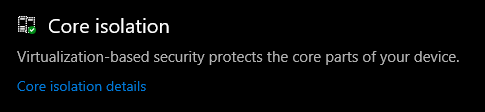
Select **Device security** on the left sidebar:
Click **Core isolation details**
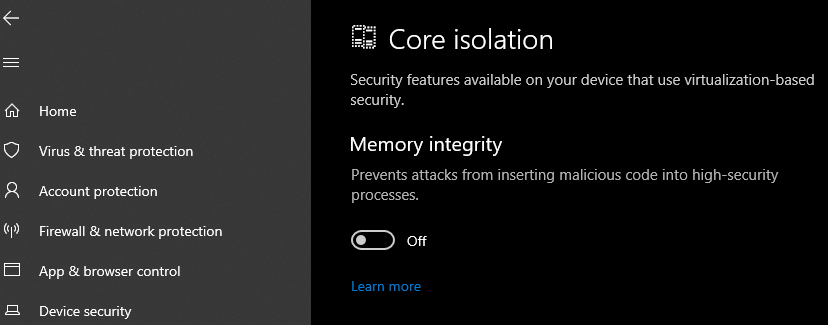
Toggle these **OFF****:**
* Memory integrity
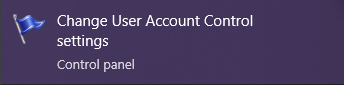
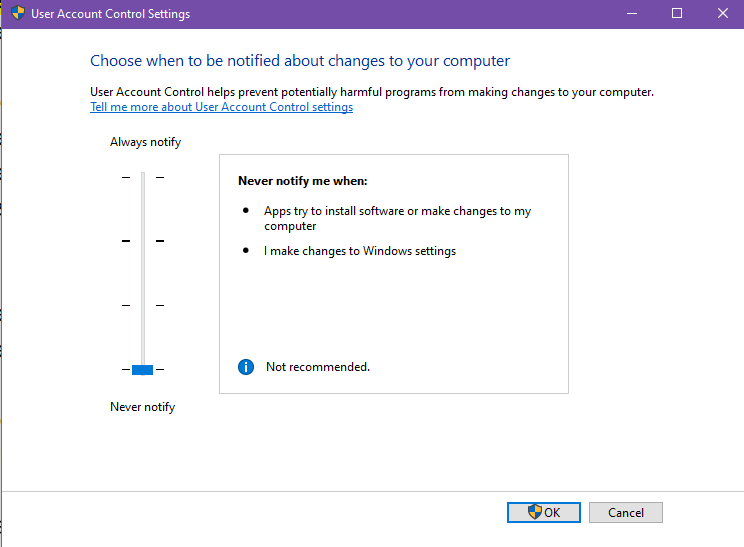
Open **User Account Control Settings:**
Click the windows key  and type: `uac`
Set to **Never Notify**.